Sales, without the scattered records.
Create sales invoices, handle sales returns, and manage bulk sales and export sheets.
Invoices · Returns · Bulk salesMeet TaxCareNepal. Bring your sales, purchases, stock and financial reports together, so you can spend less time piecing things together.
15-day trial One connected accounting workspace
From your first invoice to your year-end reports.
TaxCareNepal connects daily transactions with the records and reports you need to understand them.
Create sales invoices, handle sales returns, and manage bulk sales and export sheets.
Invoices · Returns · Bulk salesRecord supplier purchases and returns. Bring import costs and additional charges together in costing sheets.
Purchases · Suppliers · CostingManage products and units, review stock movements, and switch between quantity and value in stock reports.
Products · Units · Stock registerWork with journals, payments and receipts. Follow account activity in ledgers and review customer and supplier balances.
Journals · Ledgers · Party summariesReview sales and purchase registers, VAT summaries, VAT return reports and Annex 13 from your recorded transactions.
Registers · VAT reports · Annex 13Explore trial balance, profit & loss and balance sheet reports. Compare fiscal years, print reports and export to Excel.
Statements · Year comparison · ExportsExplore the actual report screens. These previews use sample data—not real client records. Select an image for a closer look.
 View screenshot
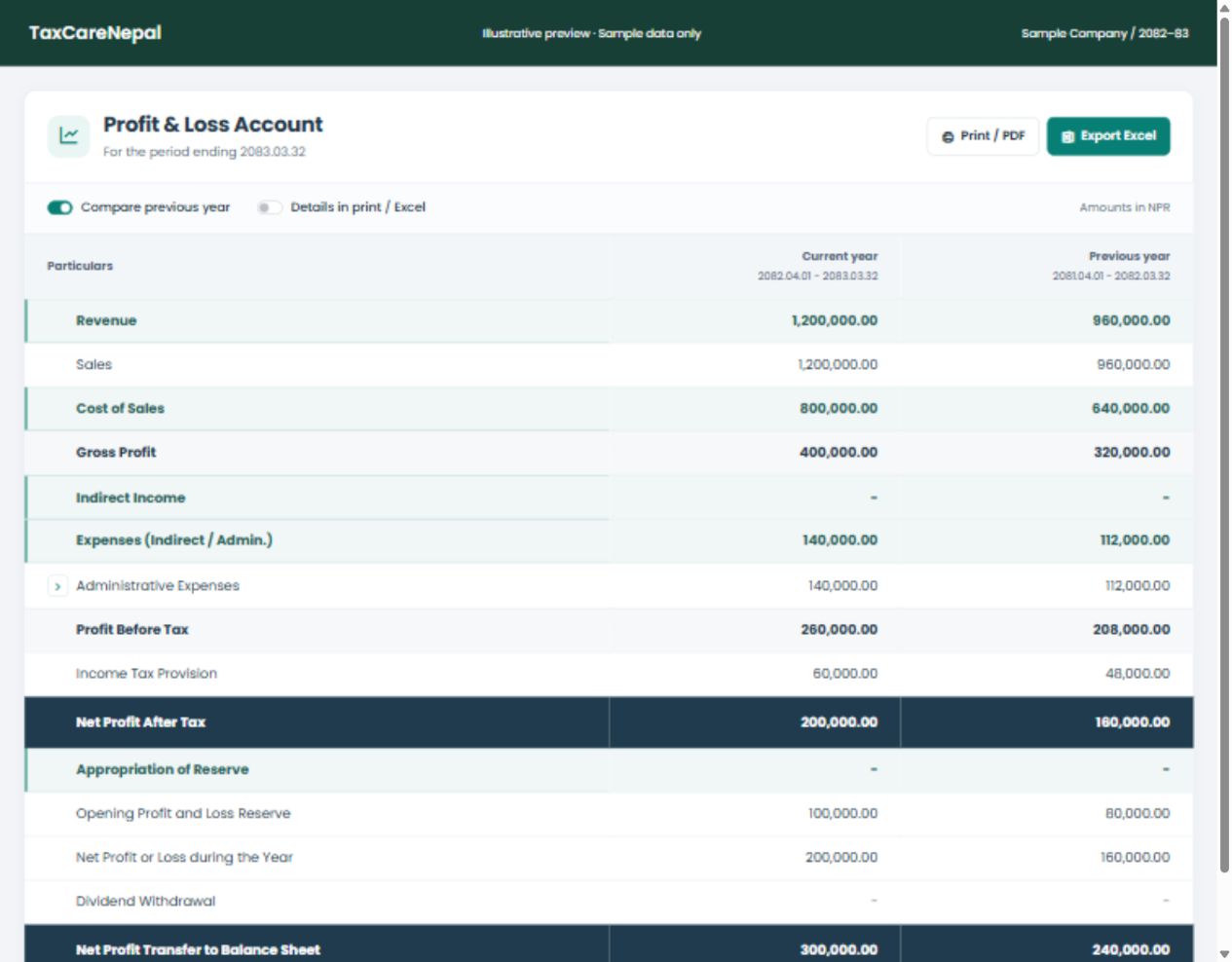
Compare current and previous years, explore account details, and prepare reports for your next review.
 View screenshot
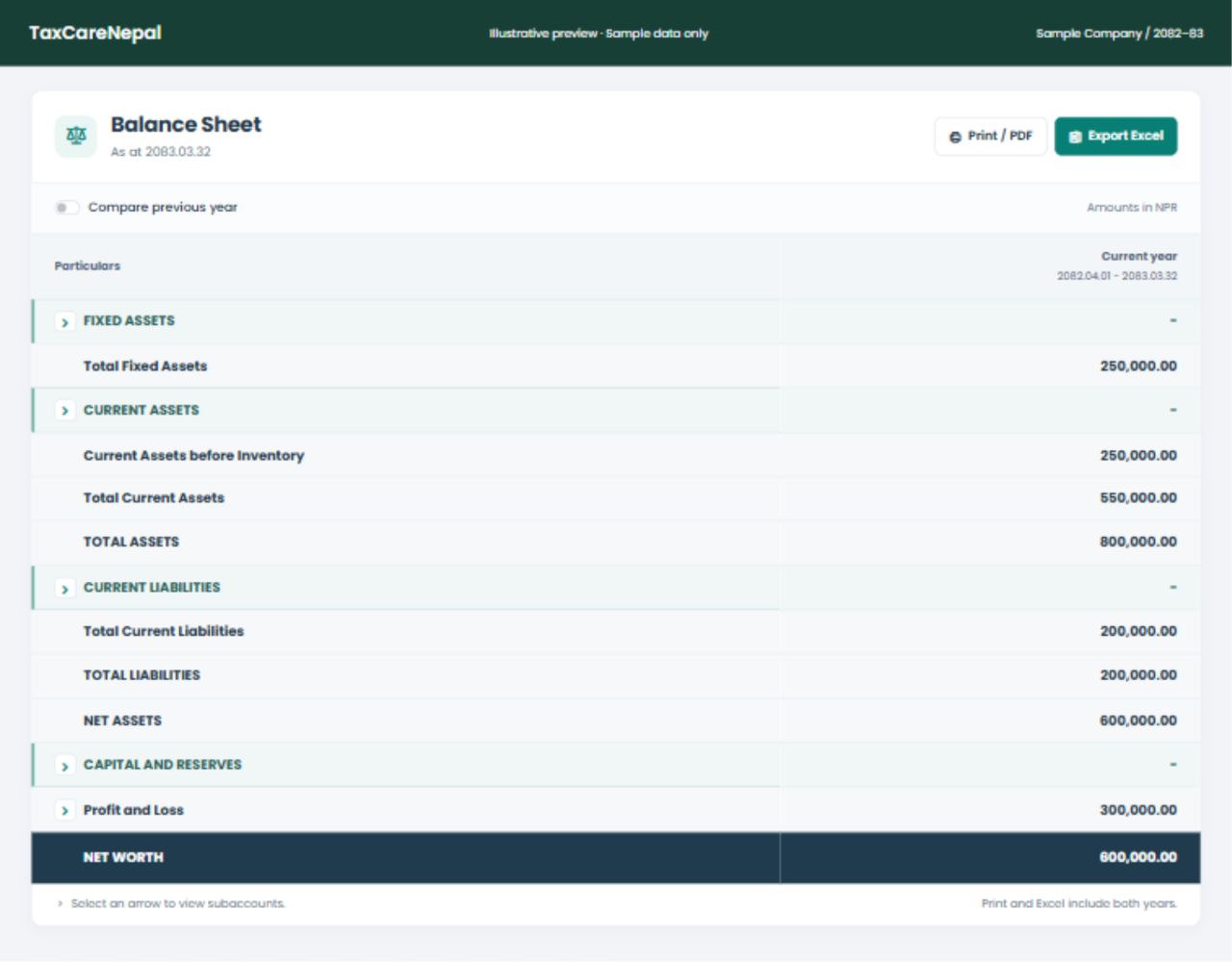
Review assets, liabilities and reserves in a structured statement, with supporting accounts just a click away.
For business owners, accounting teams and firms managing multiple clients. Keep each client and fiscal year organised.
Register your company, then organise your clients, fiscal years, account heads, products and parties.
Enter invoices, purchases, payments and receipts. Use bulk entry and imports where available.
Check your ledgers and statements, share reports, and use fiscal-year roll forward for the next year’s opening balances.
Getting to know TaxCareNepal.
TaxCareNepal is an accounting and tax-reporting application for businesses and accounting teams in Nepal. It brings sales, purchases, stock, journals, ledgers and financial reports into one workspace.
The application supports client-based workspaces and fiscal years. The clients and actions you can access depend on your assigned role and permissions.
Yes. Supported reports, including profit & loss and balance sheet, include Print / PDF and Excel export options. You can also print invoices and vouchers from their respective screens.
Yes. Import costing sheets help organise purchases and additional charges. Sales and purchase registers, VAT summaries, VAT return reports and Annex 13 support your reporting workflow. Reports should be reviewed before filing.
Use “Start your free trial” to register your company for the existing 15-day trial. Already have an account? Sign in with your existing details to continue to your workspace.
Get to know your numbers with TaxCareNepal.